A MAXOS product
flyit
A travel companion: your ticket, documents and flight details in one route.
Mobile app
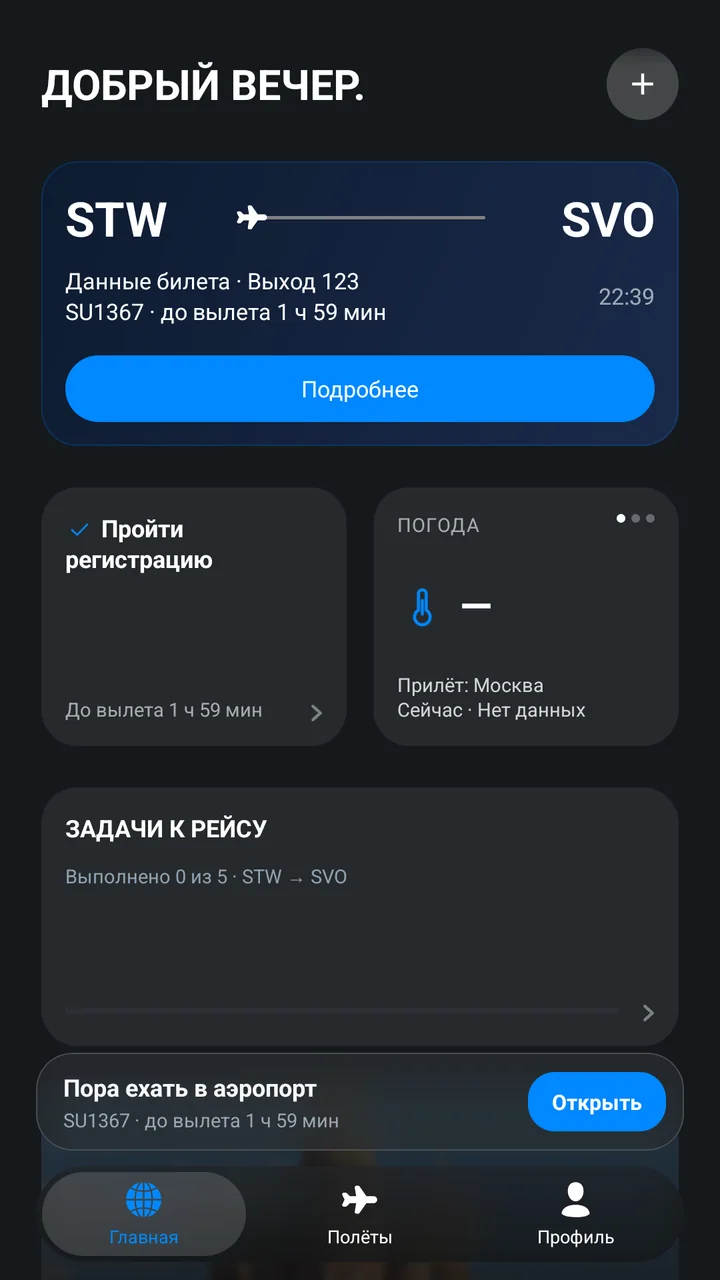
3D device model showing a screen from the app. The data on screen is fictional.
About
Not a tracker. A companion for the trip.
flyit follows a real trip: it shows your next flight and the time to departure, scans your boarding pass, groups flights into a journey with connections and a plan, and keeps gate, terminal and seat on one screen at the airport. It never guesses what it doesn't know: when a time or status isn't confirmed, it says so.
3D device model showing a screen from the app. The data on screen is fictional.
At a glance
- Status
- Alpha, being prepared for release on RuStore
- Platform
- Android 7.0 and later
- Version
- 1.0.2 alpha
Features
What flyit does
Screenshots show a fictional passenger, tickets and statistics.
- 01 / 08
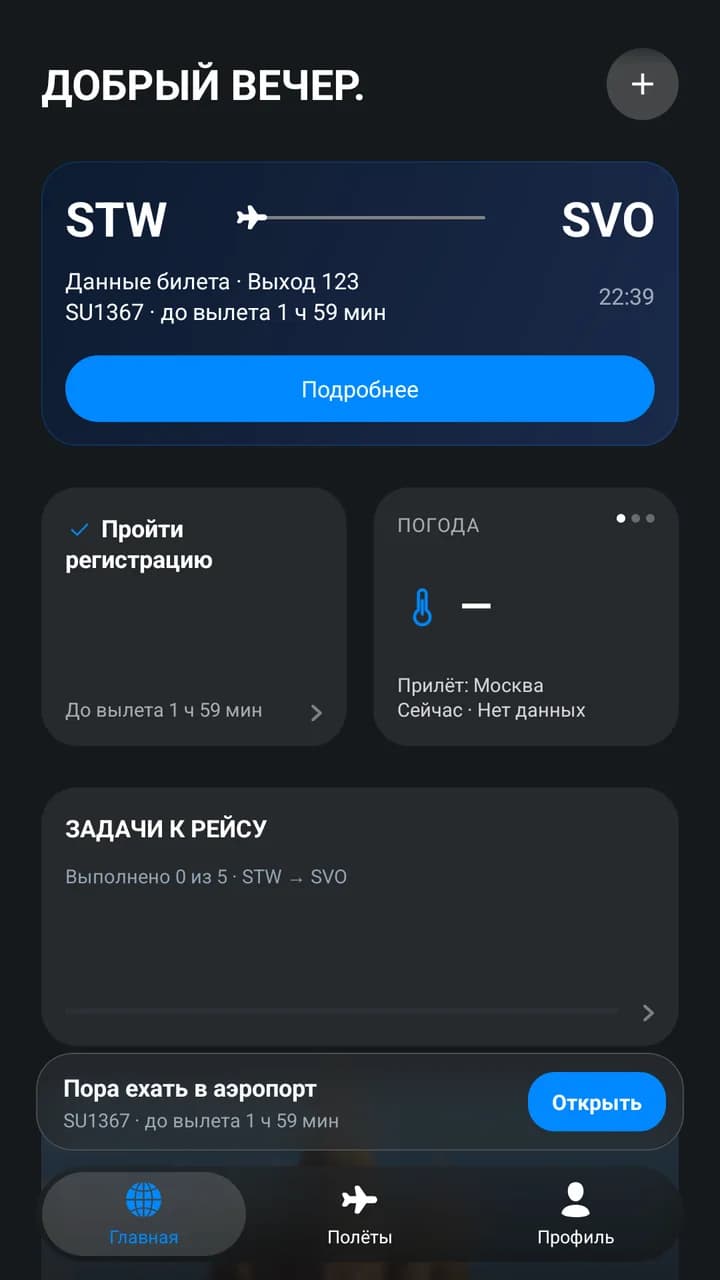
Next flight and to-dos
The home screen shows your next flight, time to departure, gate and a checklist for the flight. When it's time to leave, a separate prompt appears.
- 02 / 08
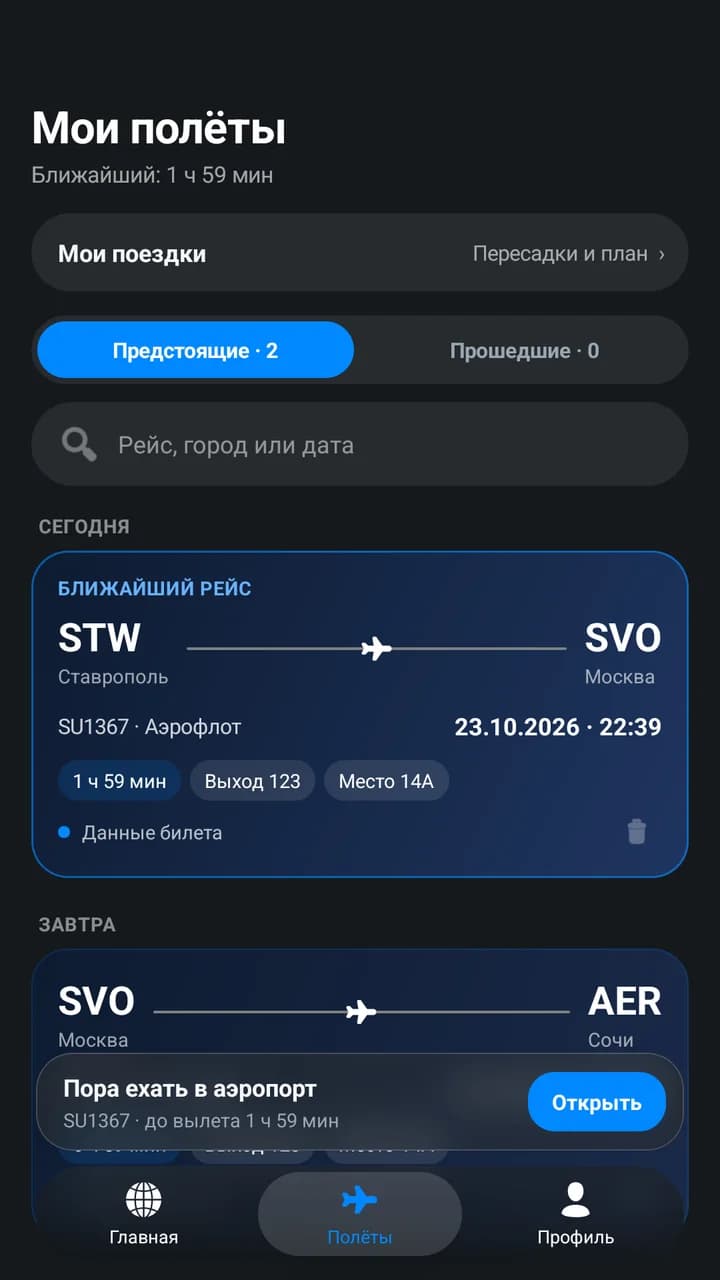
All your flights in one list
Upcoming and past flights, with search by flight number, city or date. The next flight is highlighted.
- 03 / 08
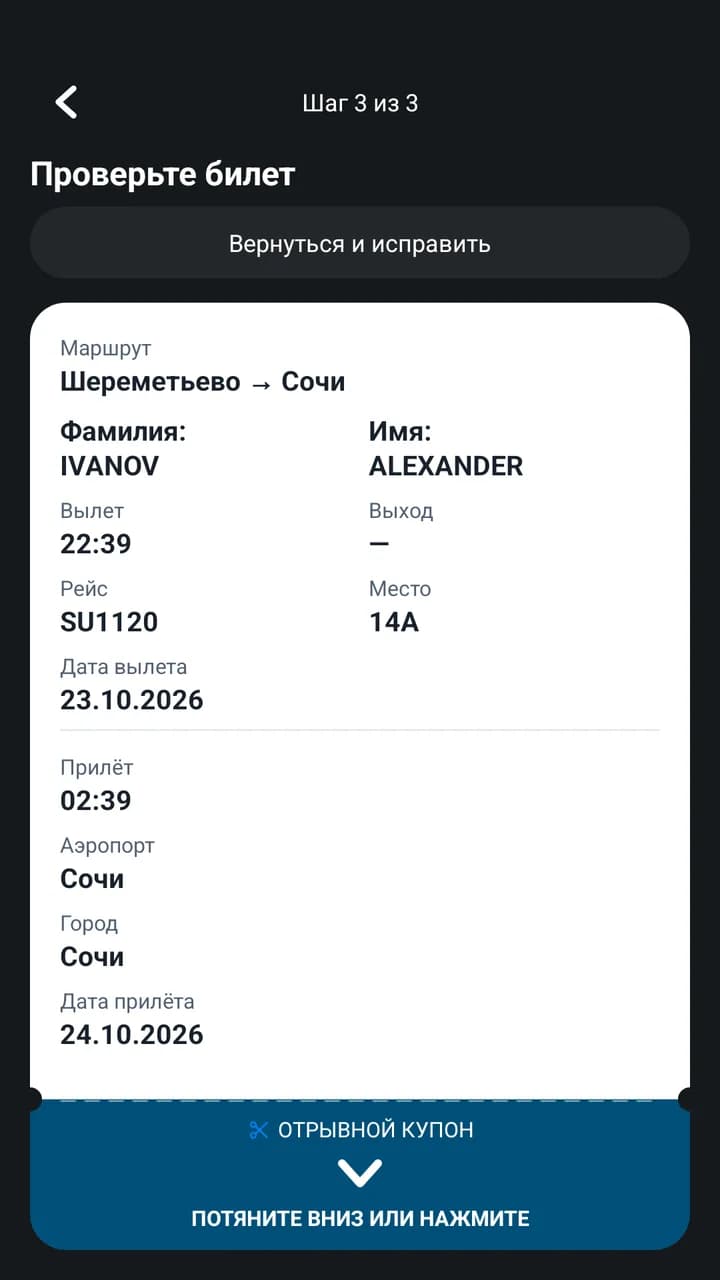
Boarding pass scanning
The camera reads the boarding pass barcode. Before saving, the app shows what it recognised so you can check and correct it.
- 04 / 08
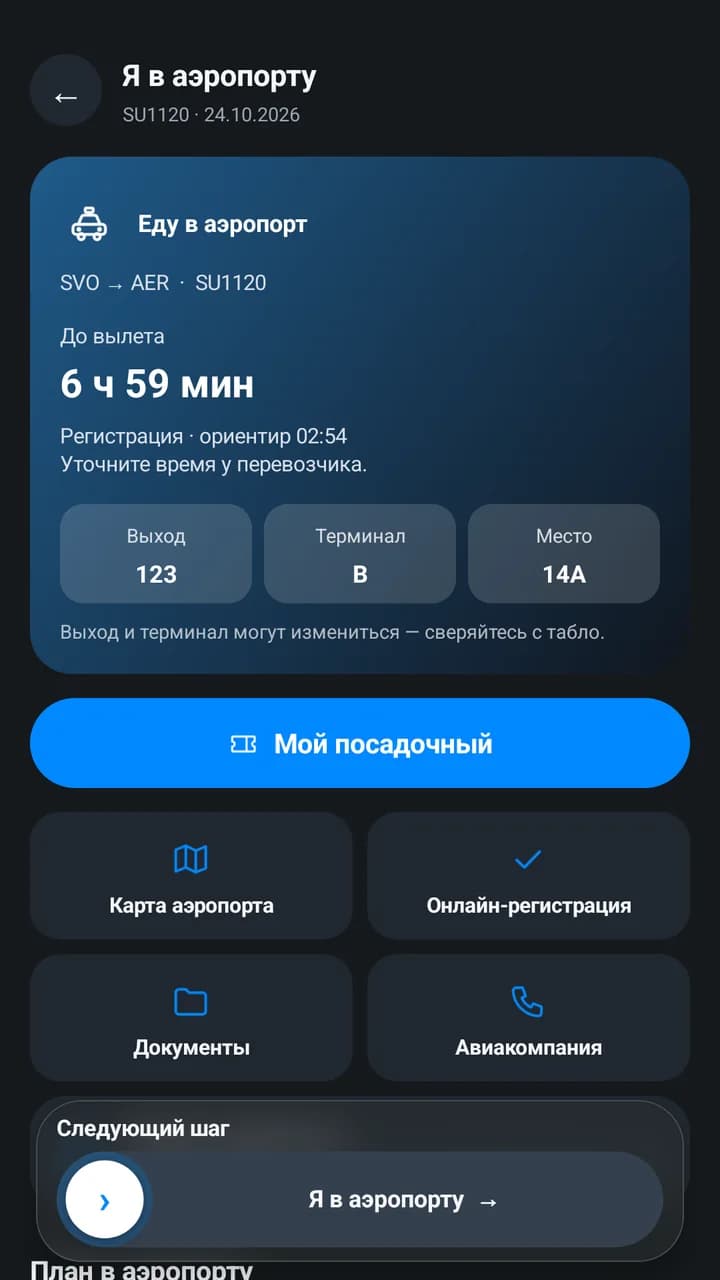
“I'm at the airport” mode
Time to departure, gate, terminal and seat in large type on one screen, next to the boarding pass, documents, the airport map and a link to online check-in on the airline's website.
- 05 / 08
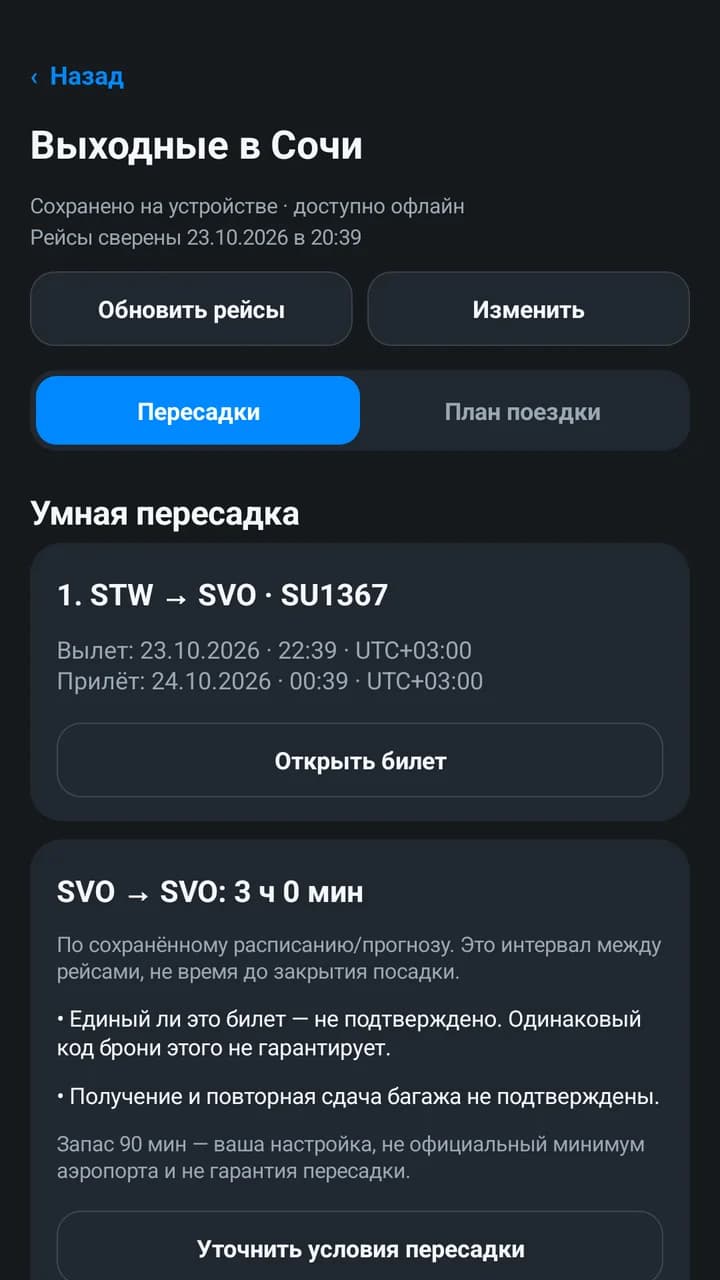
Journeys and connections
Flights are grouped into a journey. flyit calculates the time between flights and warns about airport or terminal changes, delays and unconfirmed baggage. The connection buffer is your setting, not a guarantee.
- 06 / 08
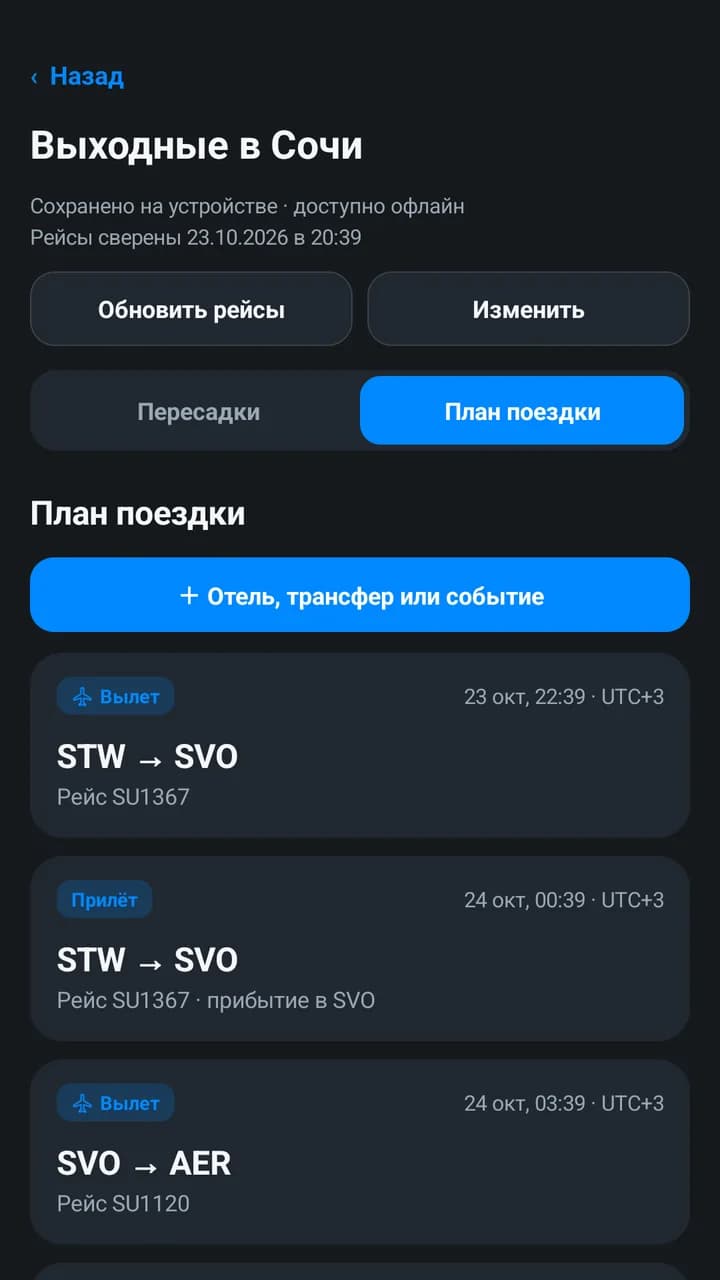
Trip plan
Hotels, transfers, meetings and other events alongside your flights in one schedule. The plan is stored on the device and works offline.
- 07 / 08
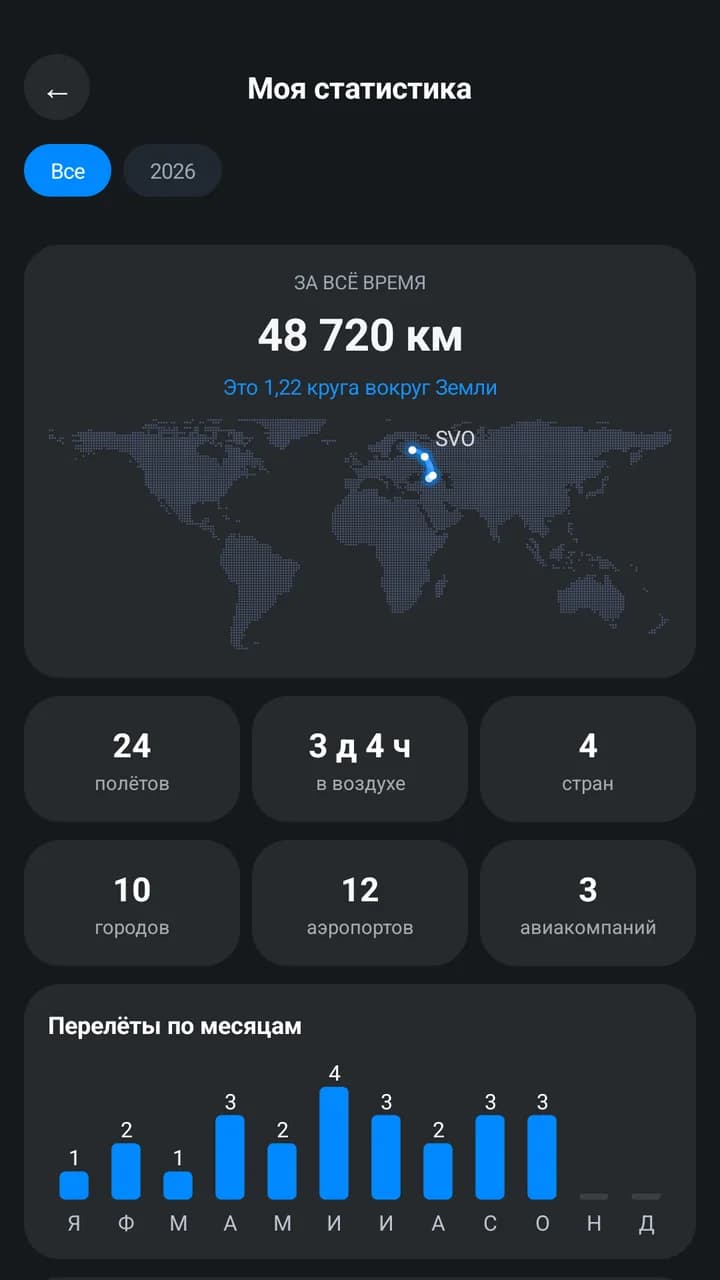
Flight statistics
Kilometres, time in the air, countries, cities, airports and a route map. Save your totals as an image and share them.
- 08 / 08
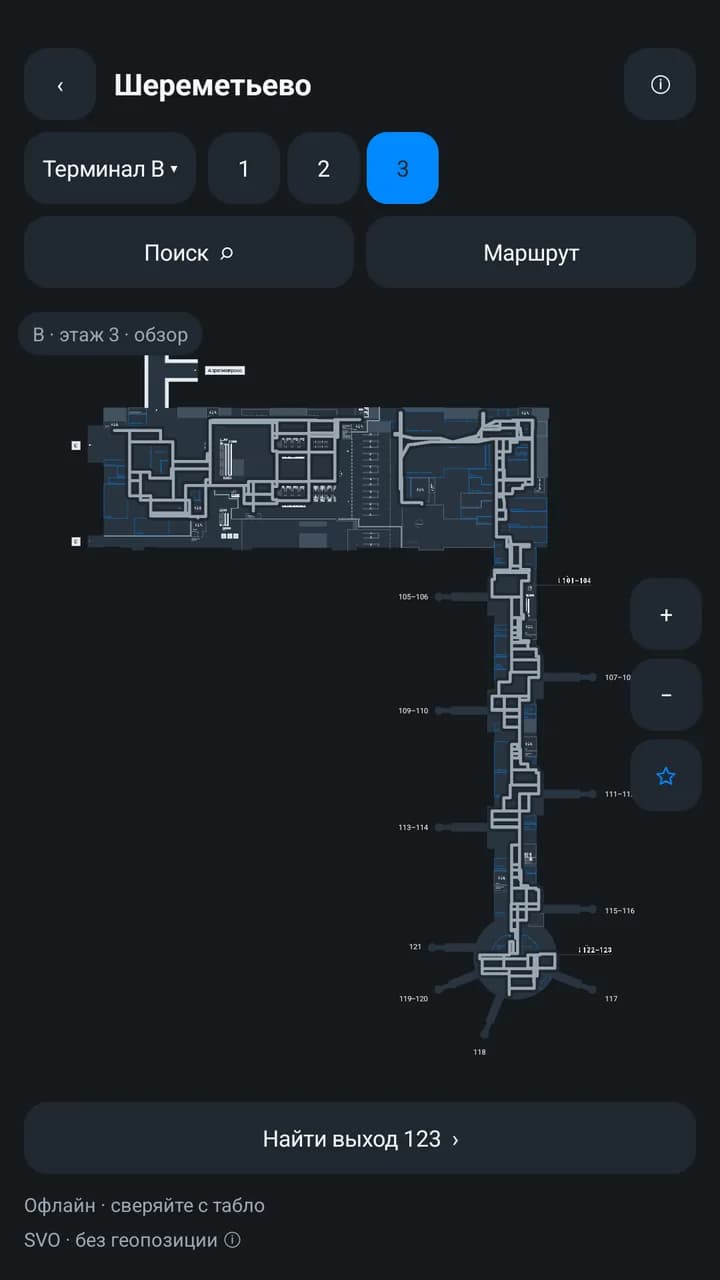
Sheremetyevo map
A built-in map of terminals B, C and D with gate search. Room geometry and names come from Sheremetyevo Airport's public data. It works without location access: it shows where to go but doesn't track you.
FAQ
Questions and answers
Which devices does flyit run on?
flyit is currently an Android app for Android 7.0 and later. We'll announce other platforms separately once a decision is made.
Where can I download it?
flyit is being prepared for release on RuStore. The link will appear on this page as soon as it's out.
Where is my data stored?
Tickets sync with your account. The trip plan, trip stages and check-in details are stored on the device, and the check-in details are encrypted. The app doesn't send your data to airline websites by itself: check-in happens on their official site.
Does flyit guarantee I'll make my connection?
No. flyit shows the time between flights and warns about risks, but it doesn't know each airport's official minimum connection time and can't confirm that your tickets are a single booking. Check the conditions with your airline.
Is location access required?
No. The app may ask for approximate location, and you can decline: the airport map and trip stages work without it, and you mark the stages yourself.
Materials
Coming to this page
We only publish confirmed information. The sections below will be filled in once the materials are ready.
- 01App store linksComing soon
- 02Documentation and supportComing soon
Support
Questions about flyit?
Send us a message using the contact form and choose “Product question” or “Technical support”.
Product documents
flyit may have its own terms of use and privacy policy, which will be published separately. The documents of this website do not automatically apply to the app.